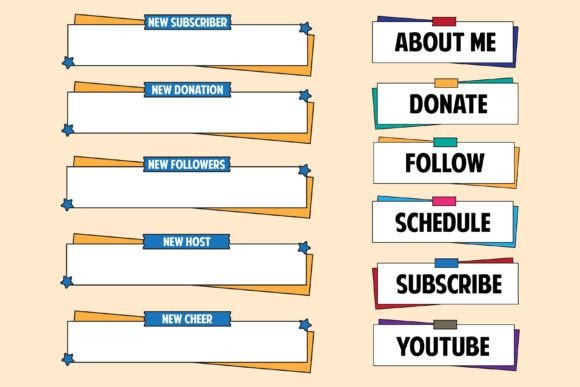
Evaluating the Set of Twitch Alerts and Panels Template for Modern Streamers
Building a visually cohesive live streaming channel takes time, design skill, and a clear sense of brand identity. For many content creators, the search for affordable, high-quality graphics leads directly to template collections. One option that frequently surfaces is the Set of Twitch Alerts and Panels Template, a downloadable bundle that combines streaming alerts, information panels, overlay frames, and screen interface elements into one package. This article examines what the collection offers, who it serves well, and where it might fall short of specific needs.
What the Template Collection Actually Includes
At its core, the Set of Twitch Alerts and Panels Template is a pre-designed assortment of visual assets built for live streaming platforms, primarily Twitch but also compatible with YouTube Live and Facebook Gaming. The bundle typically contains alert graphics for follows, subscriptions, donations, raids, and hosts, along with matching information panels for sections like About, Schedule, Donate, Social Media, and PC Specs. A simple streaming overlay and screen interface set rounds out the package with webcam frames, event labels, and transition screens.
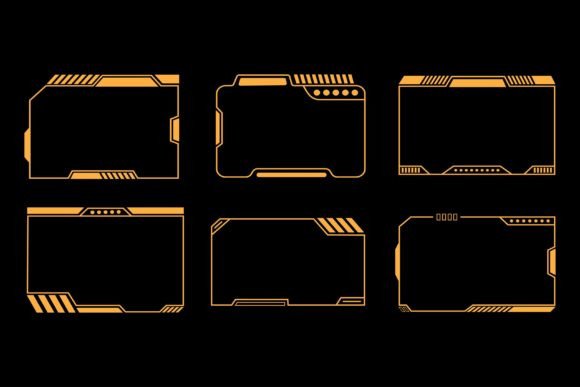
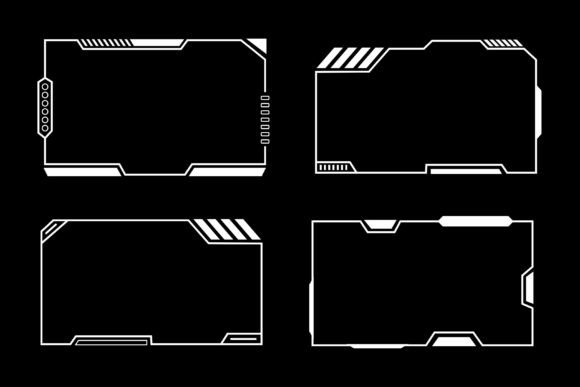
The color palette draws from blue, purple, and green tones set against a dark background, creating a modern gaming aesthetic that feels energetic without being visually overwhelming. This specific combination works well for gameplay-heavy streams where the overlay should complement rather than compete with on-screen action. The modern gaming frame design collection on a dark background helps text and webcam feeds stand out clearly, which is a practical advantage during fast-moving content.
Files are delivered in both Vector and JPG formats, compressed into a single ZIP archive. The inclusion of vector files means users can open and modify the designs in applications like Adobe Illustrator, Affinity Designer, or CorelDRAW. This editability separates the product from static, non-customizable alternatives and opens up possibilities for color adjustments, text changes, and layout tweaks.
Reasons Streamers Consider This Type of Template Bundle
Several practical motivations drive creators toward the Streaming alerts and panels collection approach. Understanding these can help determine whether the investment aligns with individual priorities.
Time efficiency ranks high on the list. Building custom alerts, panels, and overlays from scratch demands hours of design work, even for those with intermediate skills. A pre-assembled bundle reduces that timeline significantly. For a streamer launching a channel or rebranding quickly, this speed advantage carries real value.
Visual consistency is another strong draw. When alerts and panels come from different sources or are created piecemeal over time, mismatched colors, fonts, and styles can make a channel look amateurish. A unified live streaming overlay bundle vector ensures every graphic element shares the same design language. The blue, purple, and green scheme creates a recognizable visual signature that viewers associate with the channel's identity.
Cost predictability also factors in. Commissioning a custom design set from a professional artist can cost anywhere from fifty to several hundred dollars. Template bundles typically occupy a much lower price tier while still providing editable source files. For streamers in early stages of growth or those operating on tight budgets, this calculus often makes sense.
Practical Benefits of the Vector Format and Editability
The dual-format delivery deserves closer examination because it affects long-term usability. JPG files provide immediate, ready-to-use graphics for creators who want to upload and go live without additional steps. Vector files, however, unlock deeper customization potential.
With a vector editing application, users can adjust hue values to shift the blue-purple-green palette toward warmer or cooler tones, replace default placeholder text with actual channel information, resize elements without losing quality, and rearrange panel layouts to match specific streaming software configurations. This flexibility means the Set of Twitch Alerts and Panels Template can evolve alongside a channel's branding, rather than becoming obsolete after a visual refresh.
A zip file simplifies file management by bundling all assets together. Most operating systems handle extraction natively, and for those that do not, widely available tools like WinZip, WinRAR, or 7-Zip make the process straightforward. The compressed format also reduces download sizes, which matters for creators with slower internet connections.
Tradeoffs and Limitations Worth Knowing
No template solution fits every situation perfectly. Weighing potential drawbacks against benefits leads to more satisfying outcomes.
Non-unique designs represent the most obvious tradeoff. Since the product is sold as a downloadable template, multiple streamers may use identical or very similar graphics. For channels aiming to build a highly distinctive brand, this shared aesthetic can be a concern. However, the vector editability mitigates this somewhat, as color shifts, font swaps, and layout modifications create meaningful differentiation.
Compatibility considerations also arise. While the graphics themselves are universal image files, integrating them with streaming software like OBS Studio, Streamlabs Desktop, or StreamElements requires some technical comfort. Alert GIFs and WebM files need proper configuration within alert box sources. Panel images must be correctly sized for Twitch's information panel dimensions. Most users navigate these steps without issue, but complete beginners may face a learning curve.
Design scope can feel limiting for channels requiring highly specific elements. If a streamer needs custom illustrations, character mascots, or animated scene transitions beyond what the bundle includes, they will still need supplementary design work. The simple streaming overlay and screen interface set covers common use cases well but does not replace a comprehensive brand identity package.
File organization within the extracted folder structure may require sorting and renaming. Some users prefer meticulously labeled assets, while others are comfortable grouping files by type. Checking reviews or product previews can clarify what to expect before purchasing.
When This Template Collection Is a Strong Fit
Certain streaming scenarios align particularly well with what the Set of Twitch Alerts and Panels Template provides.
New streamers establishing their first visual identity benefit from the cohesive, pre-tested color scheme and layout approach. Rather than experimenting with disparate free graphics, they can launch with a polished, professional-looking setup immediately. The blue, purple, and green palette reads well on camera and suits a wide variety of game genres, from battle royales and MOBAs to indie titles and variety streams.
Streamers planning a rebrand or seasonal visual update also find value here. Committing to a full custom design project for a temporary change rarely makes financial sense. A template bundle allows for quick aesthetic shifts without large investments of money or time.
Content creators who possess some design software skills but lack the bandwidth for full custom work occupy the sweet spot. They can leverage the vector editability to personalize colors, adjust layouts, and add channel-specific details while relying on professionally constructed base designs. This middle-ground approach balances efficiency with distinctiveness.
Coaching channels, tech review streams, and community-focused broadcasts also find the clean modern gaming frame design collection on a dark background appropriately understated. The overlay frames draw attention to the content and the streamer rather than overwhelming viewers with flashy effects.
Situations Where Alternatives May Be Worth Considering
Identifying scenarios better served by other options helps avoid mismatched expectations.
Streamers with well-established brands and specific visual guidelines may find off-the-shelf templates too generic, even with vector editing. In these cases, investing in a custom design commission from a professional artist who can interpret brand values into unique visuals often yields stronger results. The higher cost reflects the originality, exclusivity, and tailored process.
Channels requiring heavily animated overlays, particle effects, or dynamic screen transitions will need resources beyond static and simple alert graphics. While the alert templates in the bundle provide basic motion, advanced animation demands either motion graphics skills or specialized animated overlay products.
Creators who prefer minimalist, monochromatic, or highly stylized aesthetics might find the blue, purple, and green palette limiting. Although vector editing can mute or shift colors, the underlying design language may still carry a specific gaming-centric energy that does not suit every content genre. ASMR streams, talk shows, or creative art streams might benefit from softer, more neutral visual approaches.
Those without access to vector editing software face a practical barrier to customization. While the JPG files remain usable as-is, the inability to modify text or colors reduces the bundle's value proposition. In such cases, platforms that offer browser-based overlay editors with built-in customization tools may present a more accessible path.
Practical Decision-Making Insights
Evaluating whether the Set of Twitch Alerts and Panels Template aligns with specific goals involves asking a few clarifying questions.
First, consider the current state of the channel's visual branding. Is there an existing look that needs to be preserved, or is the slate clean enough that a pre-designed palette can define the identity moving forward? Channels starting fresh often adapt more easily to template-driven aesthetics.
Second, honestly assess technical comfort with design software. The vector files unlock significant value, but only for users willing and able to work with them. If the learning curve feels like a barrier, the JPG files alone may justify the purchase, provided the default designs genuinely appeal.
Third, factor in growth trajectory. A small streamer aiming for rapid expansion might outgrow a template more quickly than a hobbyist who streams casually. However, the editable nature of the files means elements can be repurposed, recolored, and rearranged to extend their useful life through several phases of channel development.
Fourth, examine the specific streaming software and alert services in use. Most major platforms support custom image uploads for alerts, panels, and overlays, but confirming compatibility with preferred tools prevents frustration after purchase.
Setting Realistic Expectations for the Final Result
Working with a template collection rewards a practical mindset. The finished channel appearance will reflect a combination of the base design quality and the effort invested in customization. Streamers who take time to adjust colors, refine text placement, and test layouts across different scenes typically achieve results that feel significantly more personal than those who simply upload the defaults.
The Streaming alerts and panels collection category as a whole serves a specific purpose: accelerating the path to a visually professional channel without requiring advanced design expertise or substantial financial outlay. Understanding this positioning helps frame the evaluation appropriately. These products are tools that save time and provide design foundations, not magic solutions that replace creative direction entirely.
For streamers who value the blue, purple, and green aesthetic, appreciate the flexibility of vector editing, and want a cohesive set of alerts, panels, and overlay frames delivered in an organized ZIP package, this template bundle merits serious consideration. For those whose needs skew toward fully custom illustration, advanced animation, or highly specialized branding, alternative paths will likely prove more satisfying in the long run.