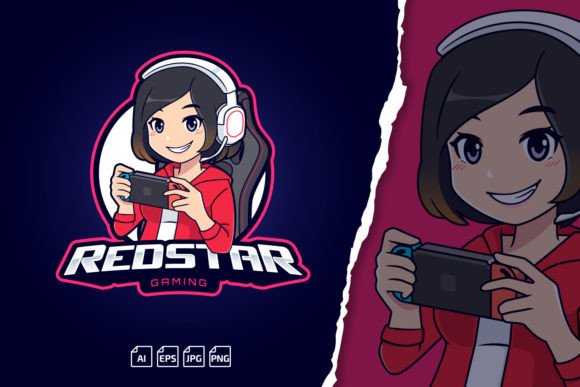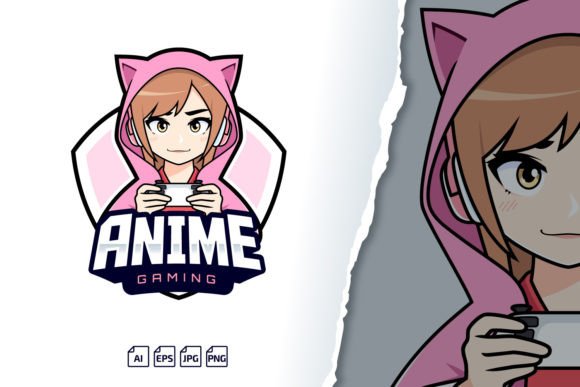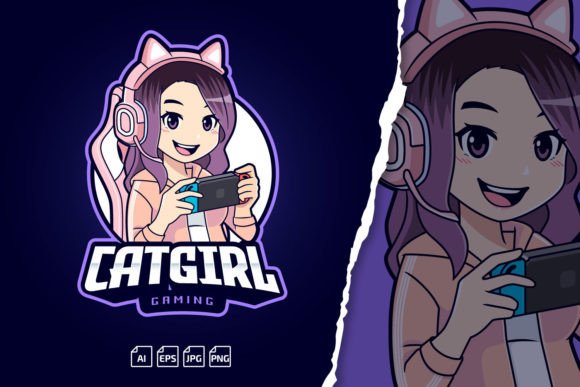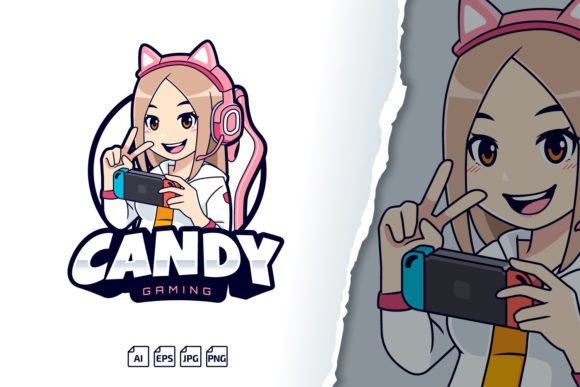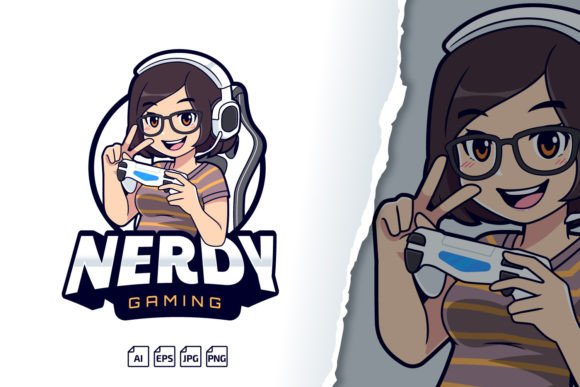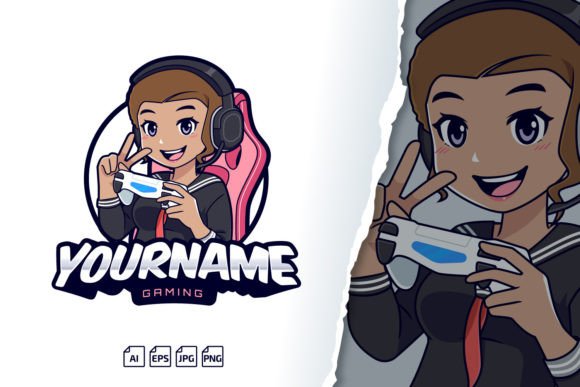
Gamer Girl Streamer Logo Mascot: Building a Memorable Brand Without the Design Headache
Most streamers and content creators don’t start with a design degree. They start with a game they love, a webcam, and a hope that people will stick around to watch. Somewhere between the tweaking of OBS settings and the first handful of followers, it becomes obvious that a cohesive visual identity isn’t optional — it’s how people remember you. That’s where a Gamer Girl Streamer Logo Mascot template can change the game. Instead of spending weeks trying to sketch a character or hundreds of dollars on a custom illustrator, you get a fully formed vector mascot with editable text, scalable graphics, and everything you need to launch a brand across Twitch, Kick, YouTube, Discord, and beyond.
What makes a logo mascot different from a simple graphic nameplate is the emotional hook. A well-designed gamer girl character with a confident pose, expressive eyes, or signature gear becomes the face of your channel. Viewers don’t just remember a name — they remember the character. And when that mascot shows up consistently on your overlay, your banner, your emotes, and your merch, you start building something that feels professional long before you feel like a professional.
What Exactly Is a Gamer Girl Streamer Logo Mascot Template?
At its core, this is a layered, editable vector file built around a stylized female gaming character. The template includes multiple file formats — AI (Adobe Illustrator CC), EPS (Illustrator 10+), transparent PNG, and a high-quality JPG preview — so you can open it in your software of choice and get to work immediately. Each piece of the design, from the facial expression to the typography, lives on its own layer. That means you can change the name, adjust the font, recolor the hair, swap out gaming headset accents, or even reposition elements without destroying the overall composition.
The inclusion of a transparent PNG preview might sound like a small detail, but it’s the format you’ll actually use day to day. You can drop that PNG directly onto stream overlays, video thumbnails, Twitter headers, and email signatures without any conversion hassle. Meanwhile, the fully vector AI and EPS files give you the unlimited scaling needed for large-format prints — think backdrops, banners at local tournaments, or even car wraps for a sponsored team van.
Where the Logo Mascot Shows Up in Real Life (Not Just Theory)
It’s easy to imagine a logo living on a screen. But the practical uses multiply fast when you start treating your channel like a small business — which, if you’re serious about growth, it is.
Stream Starting Screens and Intermission Cards
A gamer girl mascot seated above your channel name, perhaps with a “Starting Soon” badge, gives new viewers something polished to look at while they wait. It communicates that you put thought into your space. Combine that with a looping background and some chill music, and you’ve got a return-worthy brand moment before you even start talking.
Twitch and Kick Emotes
Emotes are tiny by nature, but they pack enormous community power. A mascot can be cropped, zoomed, and repurposed into hype faces, sad reacts, or victory poses. Because the vector source files allow you to scale down without losing crispness, you avoid the blurry, pixelated look that screams “I screenshotted this from Google Images.” A clean emote set becomes a revenue driver when subscribers unlock custom versions, too.
YouTube Thumbnails and Channel Art
Click-through rates often hinge on a single recognizable element. When your gamer girl mascot consistently occupies a corner of every video thumbnail, your audience begins to instinctively look for her. That split-second recognition can be the difference between a viewer clicking your video or passing it over for someone else’s. Pair the mascot with bold text and vibrant game backgrounds for an effortlessly branded template system.
Merchandise and Print-on-Demand
Many creators overlook the fact that a scalable vector mascot is production-ready for t-shirts, hoodies, mugs, stickers, and phone cases. You don’t need a separate illustration. Open the AI or EPS file, remove the background, and upload it to a print-on-demand platform. Because the name and fonts are customizable, you can even create variations: one with your full channel name, one with just a catchphrase, another with a short URL. All from the same core graphic.
Social Media Profiles and Business Cards
At conventions, meetups, or even casual gaming cafes, having a business card with your mascot printed in vector crispness makes a much stronger impression than a plain text handle. The JPG preview can act as your profile image across platforms, while the layered source enables you to adjust composition for circular, square, and banner crops.
Why the Editable Text and Customizable Fonts Matter More Than You Think
Many logo templates lock in the text, forcing you to work your brand name around someone else’s kerning. This product is built differently. The text is fully editable, and the included ReadMe file points you directly to free commercial fonts used in the template. That last part is critical — you can legally use the fonts across all your commercial ventures without worrying about licensing issues. If you’ve ever had a font company send a cease-and-desist over a YouTube thumbnail font, you know the peace of mind that brings.
You’re not stuck with a single name variation either. Maybe your channel is “PixelVixy” today, but you decide to rebrand to “VixyPlays” next season. You can update the text, save a new set of files, and keep the same mascot continuity. That familiarity anchors your audience through the transition.
People Who Benefit Beyond Full-Time Streamers
The obvious user is the solo streamer building their Twitch presence from a bedroom setup. But several other groups find a Gamer Girl Streamer Logo Mascot template surprisingly useful.
- Esports team managers who need a consistent mascot for a women's division or academy team. A unified visual can be rolled out across jerseys, social media, and tournament banners without commissioning a costly custom mascot for each member.
- Gaming tutorial content creators on YouTube or TikTok. A friendly mascot character acts as a welcoming guide for beginners learning complex mechanics, much like a virtual host.
- Gaming accessory reviewers who want a branded avatar to unbox headsets, keyboards, and chairs. The mascot creates a personal touch that separates their review from the dozens of faceless tech channels.
- Gaming community admins running Discord servers or Facebook groups. The mascot can be adapted into welcome banners, rule boards, event announcements, and custom role icons.
- Hybrid creators who blend gaming with lifestyle, art, or music content. A versatile mascot bridges different content categories under one recognizable umbrella.
Even hobbyists who just want a clean logo for their personal gaming setup — a custom boot screen, a Rainmeter skin, or a stream overlay for the occasional friend stream — benefit from having a design that doesn't look like a rushed MS Paint job. The template meets you at your skill level because the heavy lifting is already done.
Making the Most of the Included File Types
Understanding why multiple file formats are included helps you avoid future headaches. The AI file (Adobe Illustrator CC) is your master document. It holds all the layers, editable text, and original shapes. This is where you make any substantial design changes. The EPS file ensures compatibility with older Illustrator versions and other vector software like CorelDRAW or Affinity Designer — you’re not locked into a single app. The PNG transparent is your go-to for immediate digital use. The JPG preview serves as a quick reference and lightweight sharing option when sending mockups to friends or collaborators.
The ReadMe file isn’t just filler. It contains font links and installation instructions, walking you through the exact process of activating the typefaces so your text matches the preview. There’s also a tutorial video available, and the creator explicitly invites you to reach out if you hit snags with modification or editing. That support layer matters when you’re on a deadline and something doesn’t look right.
Practical Steps Before You Apply the Mascot to Your Brand
Having a great template doesn’t automatically mean it will fit your channel’s vibe. Spend a few minutes considering the following before you start hitting export.
1. Check your color palette against your overlay package. A vibrant pink-and-neon mascot might clash with a dark, moody stream aesthetic. Since the graphic is fully vector, you can adjust hue, saturation, and individual shape colors to harmonize with existing scenes.
2. Think about where the mascot will sit in compositions. If your face cam sits bottom-left, placing the mascot behind you or as a subtle watermark in the opposite corner prevents visual clutter. Try a few OBS test layouts before committing to the final positioning.
3. Plan your name variations. If you use the mascot on a banner, you might include your full channel name. For an emote, just the character’s face. For a social profile picture, maybe just the gaming headset and eyes. The layered files let you isolate elements cleanly, so map out a few use cases first.
4. Respect the free commercial fonts license terms. Most free-for-commercial-use fonts don’t allow redistribution of the font file itself, but embedding in a logo graphic is typically fine. The ReadMe file clarifies this, but if you’re unsure, a quick check of the font author’s license page is worth the time.
5. Test the mascot at small sizes. What looks crisp on a 24-inch monitor may lose detail as a Discord avatar. Since the artwork is vector, you can simplify or bolden certain lines for smaller scales if needed. The ability to scale infinitely works both ways — reducing size retains sharpness, but you may still choose to tweak for legibility.
Why This Template Suits the Current Streaming Landscape
The barrier to entering live streaming keeps dropping. More people are multi-streaming to Twitch, Kick, and YouTube simultaneously, often while managing full-time jobs or family responsibilities. The time available to build a brand from scratch gets squeezed. A Gamer Girl Streamer Logo Mascot template compresses weeks of design iteration into an afternoon of customization. It doesn’t replace a fully bespoke identity if you eventually grow large enough to commission one, but for the vast majority of creators in the growth phase, it provides a professional foundation that attracts sponsors and retains viewers.
Many streamers I’ve spoken with express the same regret: they waited too long to take their visuals seriously. They used the same default avatar for years, or they cobbled together mismatched graphics that confused new visitors. A cohesive mascot sends a signal before you even speak — that you respect your content and the time people spend watching it. That signal matters more than any particular design style.
Expanding Beyond the Initial Download
Once you’re comfortable with the template, the possibilities branch further. Animate the mascot for a reactive stream overlay that triggers on donations or subscriptions. Use the character outline for a subtle watermark on short-form video content posted to TikTok and Instagram Reels. Create a branded loading screen for your custom game server or community map. Print die-cut stickers featuring the mascot for convention swag bags. Because the AI and EPS files never degrade, you can keep revisiting the artwork as new needs arise, without ever having to redraw anything.
The included tutorial video and direct contact with the designer offer a safety net if you’re new to vector editing. Many people find that after customizing their first mascot template, they pick up enough Illustrator skills to tweak other elements in their creative toolkit. That knowledge pays off when you want to integrate sponsor logos or create limited-edition holiday streams with seasonal mascot variations.
Ultimately, a Gamer Girl Streamer Logo Mascot template isn’t just a file purchase — it’s a launchpad for a visual system that helps people find you, remember you, and connect with you across every platform where gamers gather. The editable text, vector scaling, and free font sources remove the typical friction points, leaving you with more time to actually play.