Online Game Border Design Collection: Avoid Costly Mistakes and Streamline Your Live Broadcasts
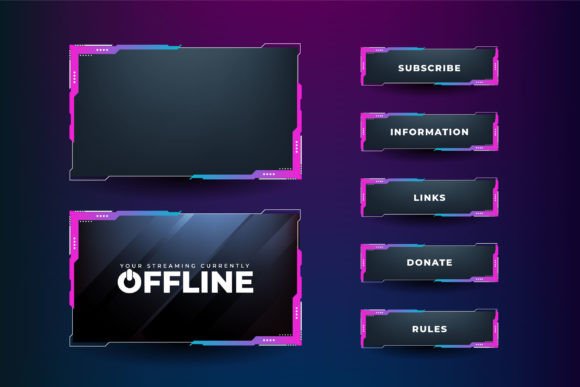
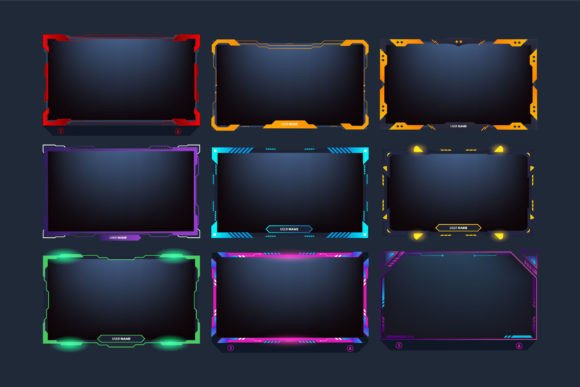
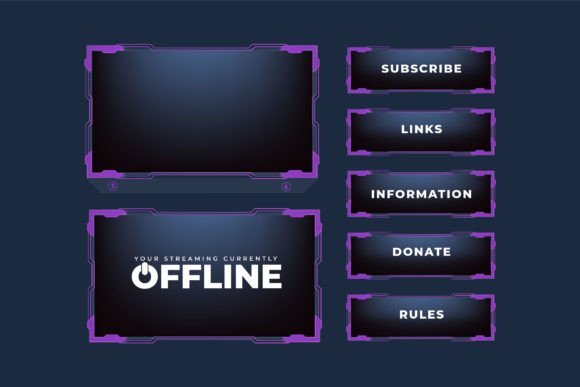
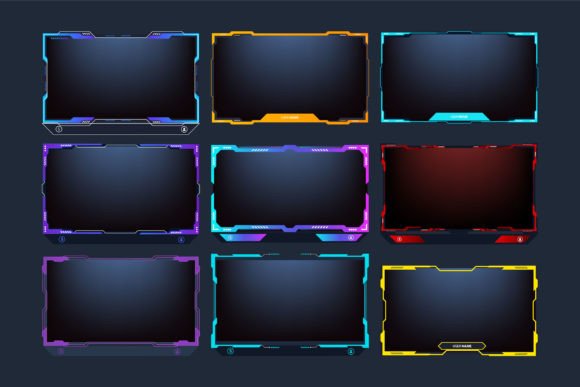
When you first come across an Online Game Border Design Collection, it’s easy to think of it as just a simple set of frames or decorative skins. In reality, it’s a versatile toolkit that can completely transform how your live gaming streams, video overlays, and screen panels look. The collection often bundles live broadcasting screen panel sets with abstract shapes, streaming overlays, and interface decorations in bold blue, yellow, and red colors. If you’re sourcing from a specialized graphic store like Ifti Digital, you’ll typically receive both vector and JPG formats, ready for customization in Adobe Illustrator. Yet, many people rush into downloading or buying without fully understanding what they need, leading to wasted time, awkward layouts, and even technical headaches during a live broadcast.
This guide isn’t about hyping up the product. It’s about showing you where things often go sideways, so you can sidestep the usual frustrations and get straight to a polished, professional-looking stream. Whether you’re a streamer, a content creator, a marketer running a live event, or a hobbyist sprucing up a game night overlay, these insights will save you from poor decisions.
What Makes an Online Game Border Design Collection Valuable
At its core, an Online Game Border Design Collection provides pre-made graphical elements that frame your on-screen content. That includes panels for chat boxes, webcam borders, alert sections, and entire screen overlay interfaces. The “abstract shapes” and multi-color palette aren’t just eye candy; they help you maintain visual consistency across scenes. When purchased from a reliable source, the set arrives as a compressed ZIP file containing editable vector files (AI, EPS, or SVG) and high-resolution JPGs. You extract them with WinZIP, WinRAR, or your operating system’s built-in tool, and you’re ready to modify with vector editing software.
The problem begins when people assume that one zip file will magically fit every streaming software or personal taste with zero adjustments. That’s like buying a tailored suit without measuring yourself. While the artwork is often beautiful, it must align with your actual streaming resolution, brand colors, and layout logic. If you ignore this, your overlay could end up clashing with game elements, blocking critical information, or looking amateurish even though the source material is top-notch.
Common Mistakes When Working With Streaming Overlays and Borders
Over the years, I’ve watched beginners and even experienced creators repeatedly stumble over the same issues. Recognizing these pitfalls early will keep your project on track and prevent you from settling for a mediocre result.
Mistake 1: Overloading the Screen With Too Many Decorative Elements
It’s tempting to use every single border, panel, and abstract shape from the collection simply because they look cool. The result is a cluttered, confusing interface that distracts viewers from the actual game or content. Streaming overlays should enhance, not overwhelm. If you slap five different border styles around your webcam, add animated panels for donations, and place chunky red and yellow frames around the chat, your audience’s eyes won’t know where to land. Instead, hold back. Pick one cohesive border treatment for your webcam and maybe a subtle matching panel for recent followers. Use the blue, yellow, and red variations intentionally to signal different types of information, like blue for chat and red for alerts, rather than mixing them randomly.
Better approach: Before you start editing, sketch a quick wireframe of your screen layout. Decide which three to five zones truly need visual borders. Leave breathing room around the game’s HUD and critical play area. The Online Game Border Design Collection is your palette, but you are the curator.
Mistake 2: Ignoring File Format Differences and Software Compatibility
The store describes that you receive both vector and JPG formats. Many users grab the JPGs, resize them in a basic image editor, and call it a day. That works, but you lose the flexibility to recolor, reshape, or scale without losing quality. If your streaming software accepts overlay images at 1920×1080 and you’ve stretched a smaller JPG, the border edges will look fuzzy and unprofessional. The vector files, on the other hand, let you adjust every curve and color to match your brand exactly. The mistake is not because the collection is flawed; it’s because the user underestimates the importance of vector editing.
Corrective advice: Even if you’re not a designer, spend thirty minutes learning basic Adobe Illustrator (or free alternatives like Inkscape) to open the vector file. You don’t need advanced skills. You can easily change the red border to match your team’s maroon, or tweak the shape to fit a non-standard webcam ratio. JPGs are fine as a quick test, but for a custom, crisp overlay, the vector version is non-negotiable.
Mistake 3: Misunderstanding Transparency and Overlay Layering
Streaming overlays rely heavily on transparent backgrounds so that the game shows through. If you open a JPG from the set and simply place it over your scene, you’ll likely see an unwanted solid background behind the border design. This happens because many JPGs don’t support transparency. The collection’s vector files, however, are designed to sit on a transparent canvas when you export them as PNGs. New streamers often skip this step, and their scene looks like a scrapbook instead of a seamless broadcast interface.
How to avoid it: Always export your final border panels as PNG-24 with transparency enabled. Check in your streaming software (OBS, Streamlabs, etc.) that the layer blending looks natural. If you only have the JPG version, you can use a vector editor to trace it, remove the background, and re-save it correctly. Many streamers waste hours troubleshooting “weird white boxes” that are simply a JPG placed over a game capture. It’s a small detail that has a huge impact on the professional feel.
Mistake 4: Forgetting to Test Under Real Streaming Conditions
What looks crisp on your 4K editing monitor might be illegible on a viewer’s mobile device or compressed live stream. The bold blue, yellow, and red colors are attractive, but they can bleed or vibrate against certain game backgrounds, especially when bitrate artifacts kick in. Too often, creators finalize their overlay and only discover the issue during a live broadcast.
Practical step: Before going public, do a test stream at your typical output resolution and bitrate. Record it and watch on a smaller screen. Check if the chat panel border’s red text is still readable, or if the yellow abstract shape is causing eye strain. A simple tweak in color brightness or border thickness can fix this. The collection’s vector nature makes these adjustments painless, so don’t treat your first export as final.
Mistake 5: Overlooking the Need for Consistent Branding Across Scenes
One of the biggest advantages of a well-designed border collection is the built-in consistency between panels, screens, and overlays. Yet, I’ve seen streamers use a blue border for their starting soon screen, a yellow frame for intermission, and a red webcam outline for gameplay without any logical transition. This disjointed look confuses brand identity. The collection is meant to give you a unified language, but you have to apply it with intentionality.
Solution: Choose a dominant color or two from the blue, yellow, red set that aligns with your channel’s personality. Use the third color as an accent for special alerts. Ensure that the abstract shapes in your live broadcasting screen panel follow a similar rhythm—roundness, sharpness, or geometric style stays somewhat consistent. When viewers jump between your scenes, they’ll feel a seamless flow, which keeps them engaged.
What to Check Before Downloading or Buying an Online Game Border Design Collection
Since you’re likely considering a purchase from a store like Ifti Digital, or evaluating a similar bundle, here’s a focused checklist to prevent a mismatched investment:
- File format and editability: Confirm that the collection includes both a vector format (AI, EPS, SVG) and an easy-to-reference JPG. Without the vector, you’re stuck with limited modification capabilities.
- Compatibility with your editing tool: If you use Adobe Illustrator, you’re set. But if you rely on free software, verify that the vector format opens correctly. Sometimes, specific Illustrator versions can cause minor issues; a responsible seller will offer support if you have trouble editing.
- Resolution and sizing: Check that the borders and panels are designed for widescreen 16:9 ratios, or at least scalable to your needs. A helpful store will mention the intended screen dimensions.
- Overlay modularity: A good collection provides separate elements—webcam border, chat panel, sponsor banner—rather than one flattened image. This gives you the freedom to mix and match without Photoshop gymnastics.
- Extraction and organization: The ZIP file should be well-organized. When you extract, you should see clearly labeled folders for “Blue,” “Yellow,” “Red,” or by component type. A messy dump of files is a red flag for future frustration.
- Support and license terms: If the store says “If you have any problem editing the files, don’t hesitate to contact me,” that’s a strong positive signal. Also, understand the usage rights, especially for commercial streams.
How to Apply the Designs Without Common Pitfalls
Let’s run through a realistic scenario. You’ve downloaded the Online Game Border Design Collection from Ifti Digital. You unzip the folder and see a mix of JPG previews and the vector master file. Instead of immediately dragging a JPG into OBS, you open the vector in Illustrator. You notice your channel’s main color is teal, but the set offers standard blue. Using the global color feature, you recolor the blue elements to teal in one click, maintaining the set’s integrity. You then export just the webcam border as a transparent PNG. In your streaming software, you place it above the game layer, adjust the size to fit your 720p webcam, and test the positioning. Next, you pick a subtle chat panel design in yellow, but you reduce its opacity to 80% so it doesn’t fight for attention. You repeat this for alerts and sponsor frames, keeping the abstract shape motif consistent. The result is a polished, on-brand broadcast that looks custom-made, though it started from a ready-made collection.
This approach takes an extra hour upfront but saves you from later embarrassment and constant rework. The “double-click and extract” simplicity of the ZIP file shouldn’t lull you into rushing the design phase. The store’s promise that you can modify the design is the key to unlocking value; failing to do so is the single biggest missed opportunity.
Why Quality Overlays Matter for Viewer Retention and Credibility
Think about your own experience watching a live stream. When the screen layout is messy, borders are misaligned, or colors clash harshly, you subconsciously question the streamer’s professionalism. Even if the gameplay is top-tier, bad design signals a lack of effort. That doesn’t mean you need a fancy, animated motion graphics pack. A clean, well-chosen Online Game Border Design Collection communicates that you respect your audience enough to present content clearly. For educators or small business owners using live broadcasts, this becomes even more critical. Abstract shapes and unified color blocks can direct attention to your call-to-action, your face, or your product without shouting.
The mistake often comes from underestimating first impressions. If your overlay looks hastily thrown together, viewers are less likely to subscribe or trust your recommendations. By avoiding the errors outlined above, you’re not just decorating; you’re building a visual environment that holds attention.
Making the Most of Your Digital Purchase
When you buy a digital graphic file set like this, treat it as raw material, not a finished product. The design store has done the heavy lifting by creating balanced compositions and harmonious color palettes. Your job is to personalize them. Save multiple versions for different stream themes. Experiment with layering the abstract shapes to create unique back panels for your “about me” section. Because you have the vector source, you can even combine elements from different color sets to create a hybrid that’s uniquely yours. If you encounter an editing hiccup, reach out to the seller promptly—good creators appreciate feedback and can often resolve issues faster than you think.
Many users worry about their ability to extract the ZIP or handle vector files. Modern operating systems handle ZIP natively with a simple double-click, and free tutorials for Illustrator basics are abundant. Don’t let a minor technical gap force you into settling for a subpar JPG overlay. The difference between a stream that looks like a hobby and one that looks like a branded channel often comes down to these details.
In the end, your Online Game Border Design Collection is a springboard. When used thoughtfully, it eliminates the need to design every panel from scratch, while still allowing your personality to shine. Keep your layout streamlined, your exports transparent, your colors cohesive, and your tests thorough. That’s the path to a broadcast that feels both professional and genuinely you.